What You Will Do
In this part, iLoader will be used to install SideStore onto your iPhone. You will need your computer, your iPhone, and a USB cable.
Steps
-
Download iLoader
Go to the official iLoader website and download the version for your computer.

-
Open iLoader
Install iLoader on your computer and open it.
-
Connect Your iPhone
Plug your iPhone into your computer with a USB cable. Unlock your iPhone and tap Trust if your phone asks you to trust the computer.
-
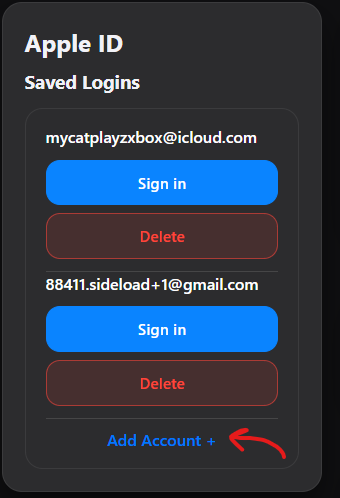
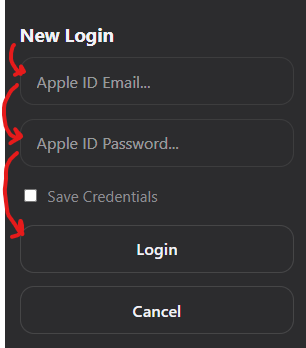
Sign in with Your Apple ID
Sign in to iLoader with your Apple ID.
* This is needed so iLoader can use your account to get a free Apple signing certificate. The certificate is needed to sign and install SideStore on your iPhone. iLoader takes care of this part for you.
-
Select Your iPhone
Choose your connected iPhone from the device list in iLoader.

-
Install SideStore Stable
Click Install SideStore (Stable) and wait for iLoader to finish.

After Installation
When iLoader is finished, SideStore should appear on your iPhone. The next part will cover opening SideStore and completing the setup.
Continue to Part 2 to finish installing SideStore on your iPhone.