Installing an App
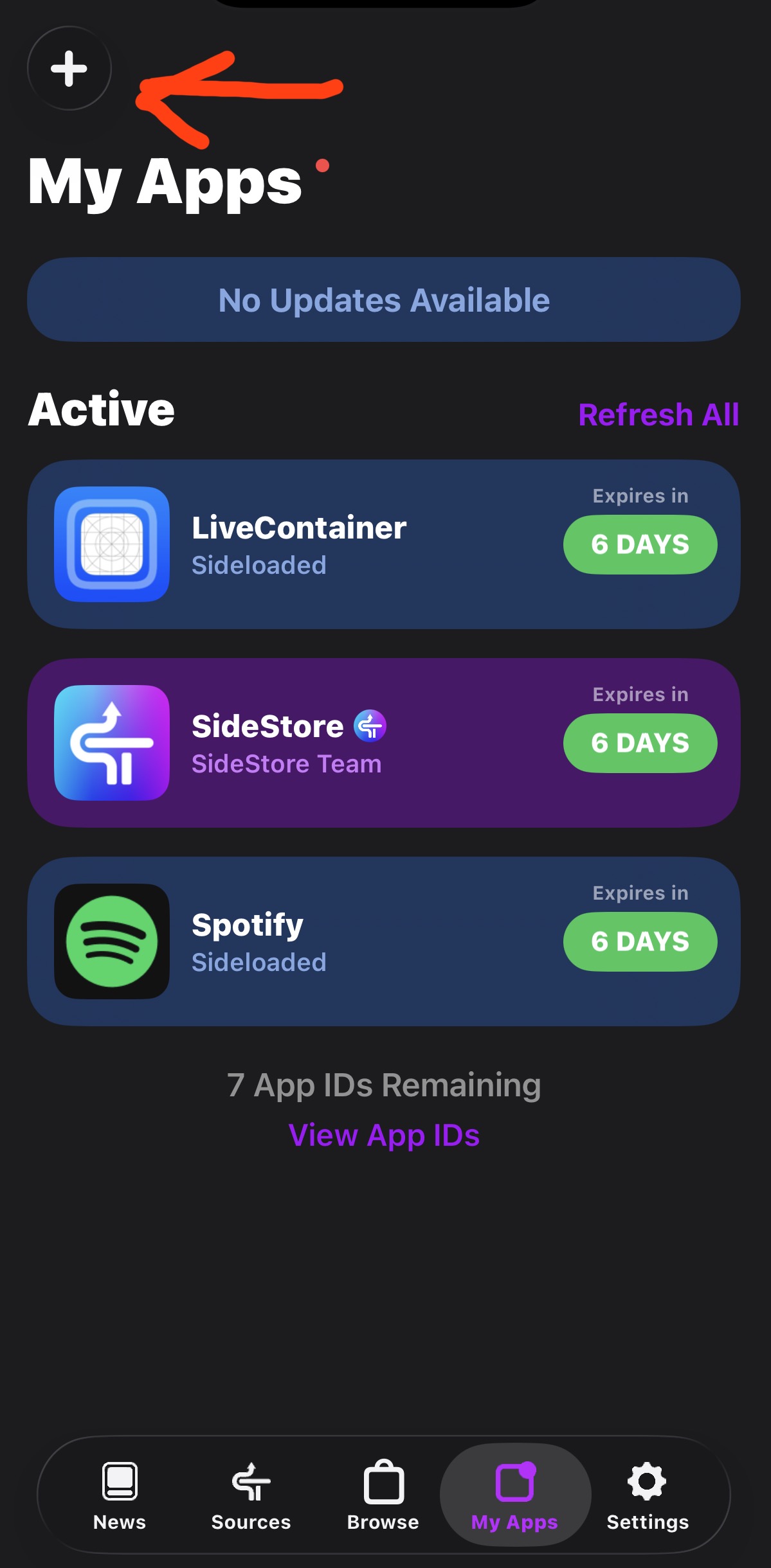
After signing in, use the My Apps section to add and manage supported IPA files.
Using SideStore
Choose a supported IPA file, add it in SideStore, and follow the on-screen instructions to install it.
App Limit
With a free Apple Account, Apple limits you to three active sideloaded apps at a time, including SideStore. Because SideStore counts toward this limit, you can effectively install only two other apps directly. This limit comes from Apple's free signing system.
Bypass the 3-App Limit (Kind Of)
You can install LiveContainer to run an unlimited number of apps through one installed app, although LiveContainer can run only one app at a time. This lets you work around the three-app limit without installing every app separately.
I recommend installing LiveContainer and one other app that you use often. For example, you could install Spotify Plus, which can be found on My website (IPAs).
Using LiveContainer
- Install LiveContainer through SideStore and open it.
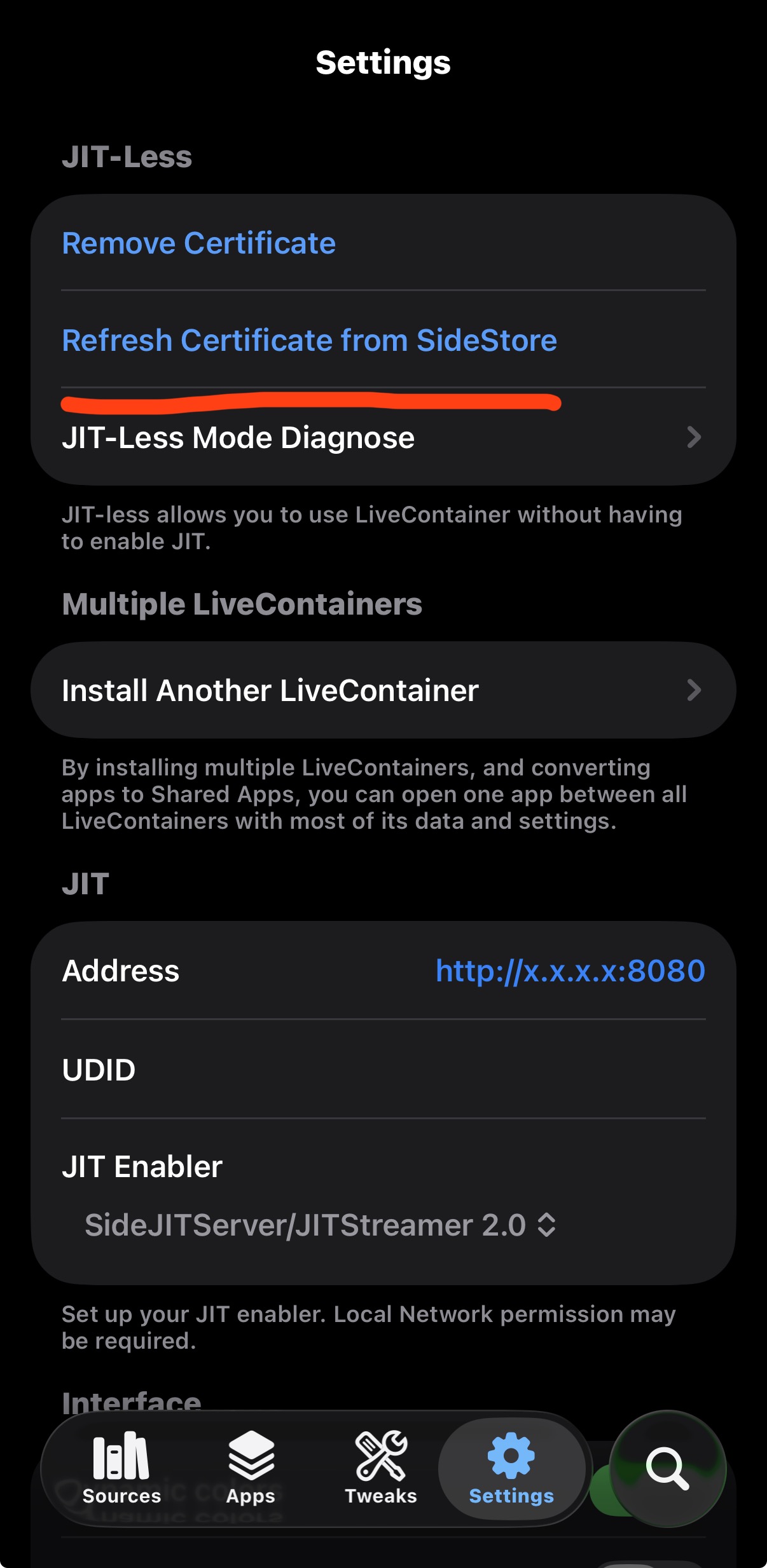
- Import the certificate from SideStore.
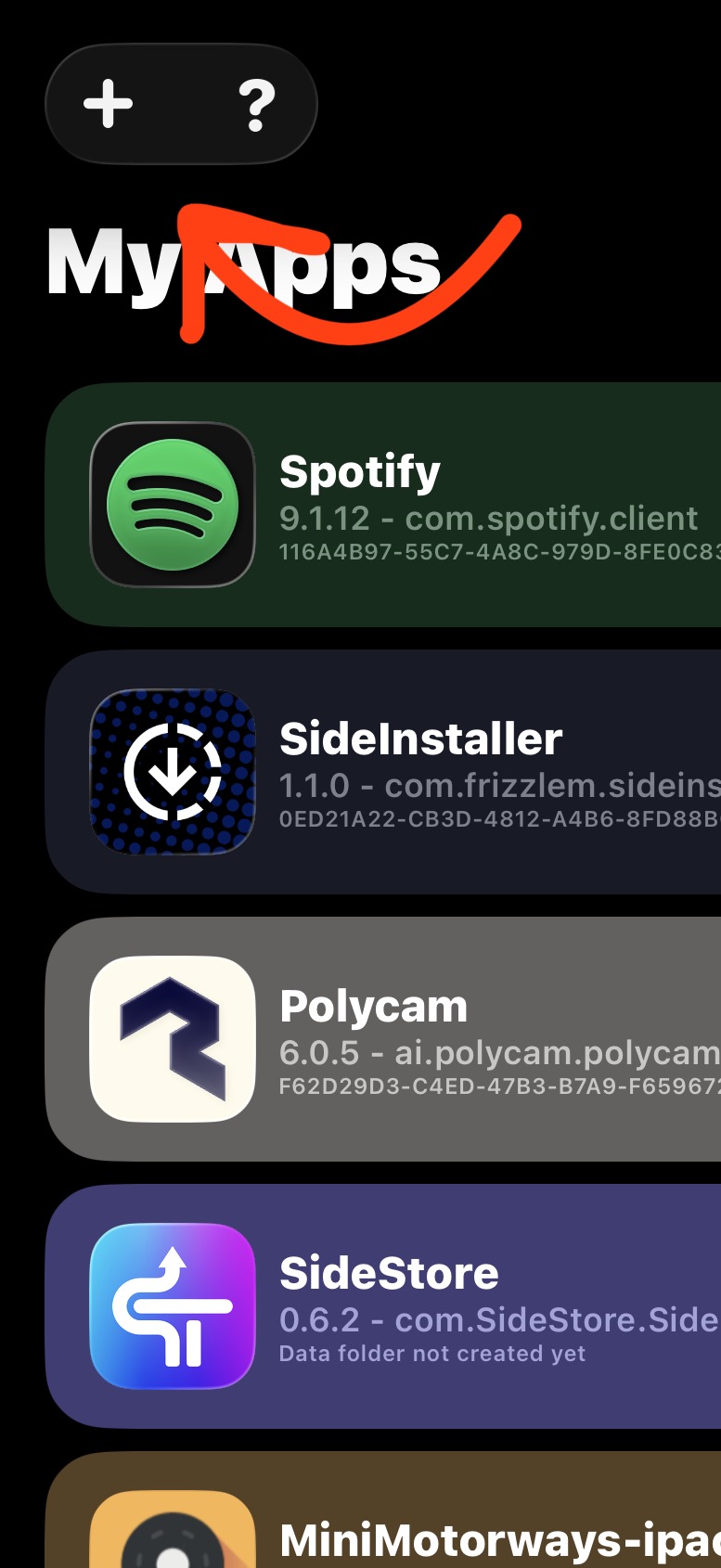
- Tap the plus button at the top of LiveContainer to add an app.
- Choose the IPA file you want to use and wait for it to be added.
- Your apps will appear in LiveContainer. Tap Run next to an app to open it. If you want to change apps, you will have to fully close the current app first.
How to Add Apps to the Home Screen
Use this video to learn how to add LiveContainer apps to your iPhone Home Screen for convenience.
Next Step
Continue to Part 5 to learn how to bypass the 7-day limit by refreshing your apps.